What is Prompt History?
Your Prompt History will log every prompt you pass through Pretty Prompt, both the original and the improved one across all devices and platforms.
- Accidentally deleted a prompt? No worries, you’ll find it in your Prompt History.
- Used ChatGPT but want to test your prompt in Claude? Find it in your History, and apply it to any platform you want to.
Note: Prompt History is available to all users and tiers. For the Free tier, it’s limited to the last 3 prompts (it will update automatically). For Pro users, it is unlimited.
How do I access my Prompt History?
There are 3 ways to access your Prompt History:
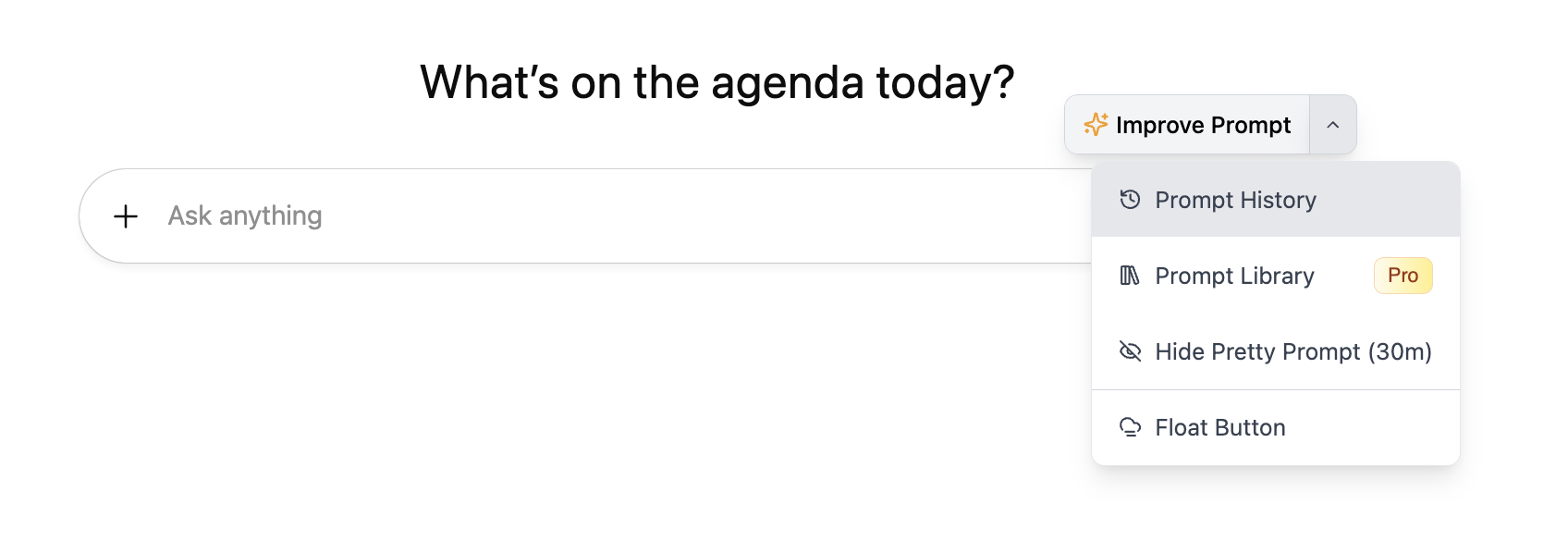
- Through the ✨ Improve Prompt button:
- Click on the dropdown in the ✨Improve Prompt button.
-
Select Prompt History.
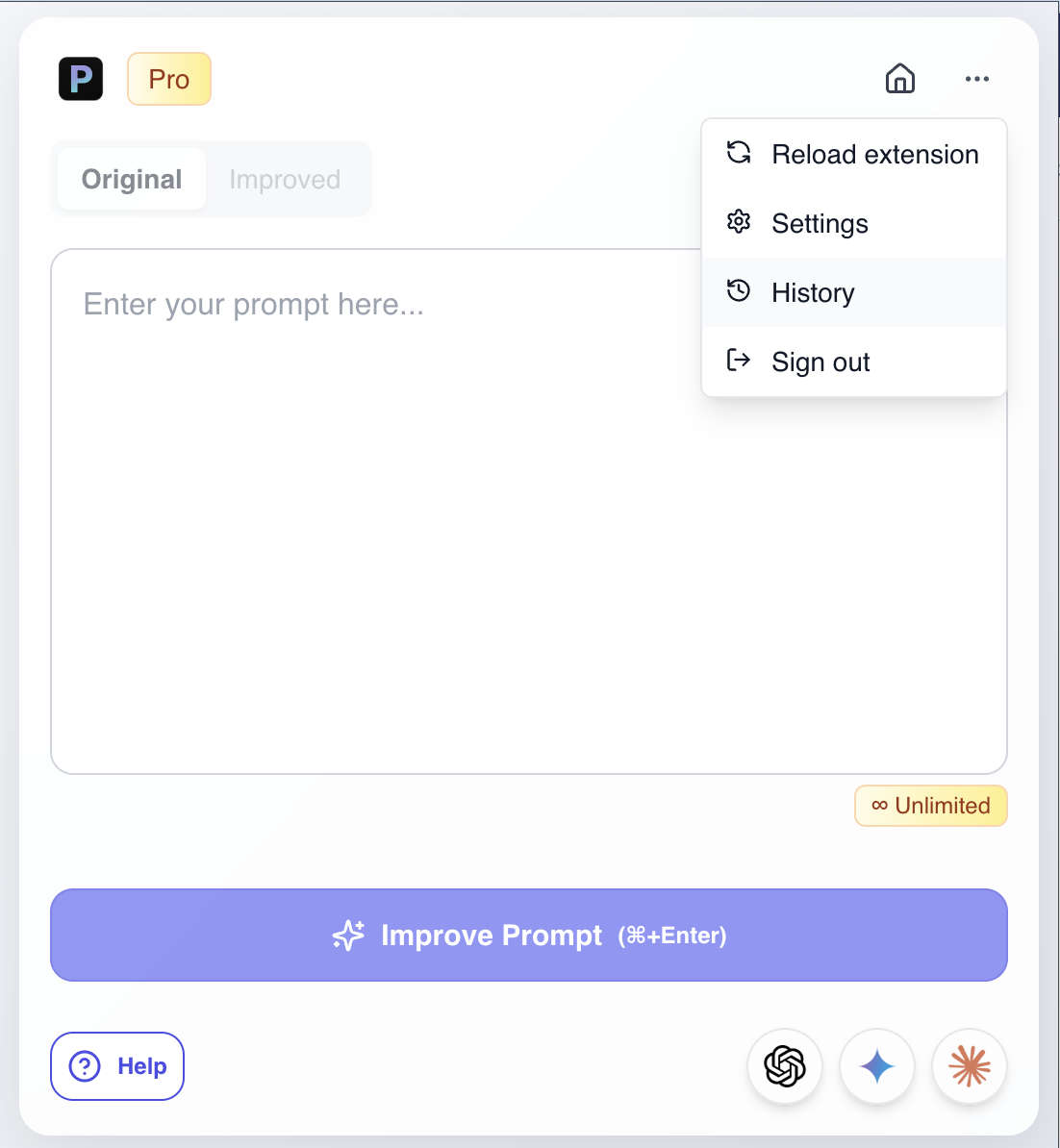
- Through the Extension Popup:
- Click on the Pretty Prompt logo in your extensions toolbar. (Hint: hotkey “Cmd + Shift + P”)
- Click on the three dots in the top right corner.
-
Select History.
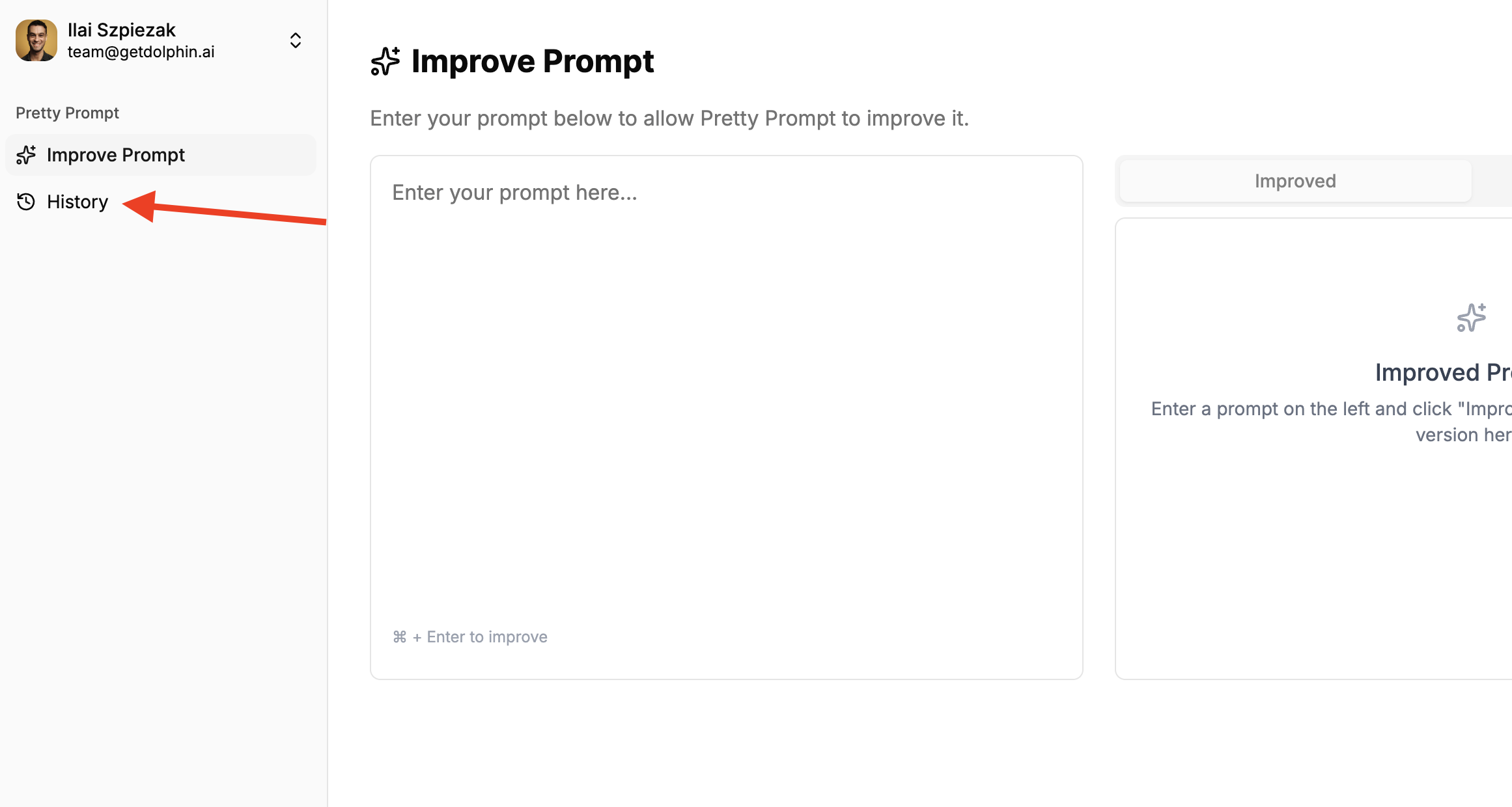
- Through the Web Application:
- Go to the Pretty Prompt Web App.
- Log in (use the same email used for your Chrome Extension)
-
Click on History on the left side menu.